
I’m a developer, how can I connect to Pera Wallet TestNet?
Background Info
TestNet is the name of the Algorand network that acts as a production mirror for Algorand’s MainNet, where real world transactions take place. You can think of TestNet as a sandbox where you can play around with new assets, accounts, configurations, etc. without having to send real Algos or pay for transaction fees.
Being able to switch to TestNet is especially useful if you’re building an application or an asset on Algorand and you want to test out what sending transactions might look like. While there are obviously developer tools that allow you to transact, sometimes it’s nice to get a feel for what real users might be seeing when they interact with your asset or coin, for example.
If you’re excited about building applications powered by Algorand, definitely check out Algorand’s Developer Site. Then head back here whenever you need to learn about how to connect Pera Wallet with the application you’re building.
💡 Note: While account addresses/keys remain constant across the 2 networks (MainNet and TestNet), account balances and assets will not be the same. For example, you might find TestCoin on TestNet but not on MainNet (or vice versa).
Switching to TestNet
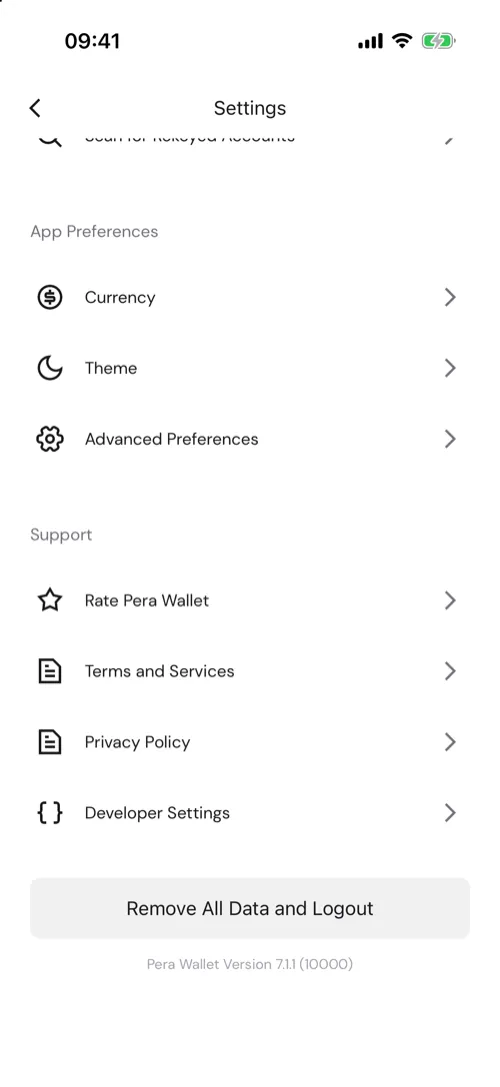
Start by navigating to your settings page, and then follow the screenshot progression below.
- Navigate to your settings page and scroll to the bottom. Tap Developer Settings. (Menu > Settings > Developer Settings)
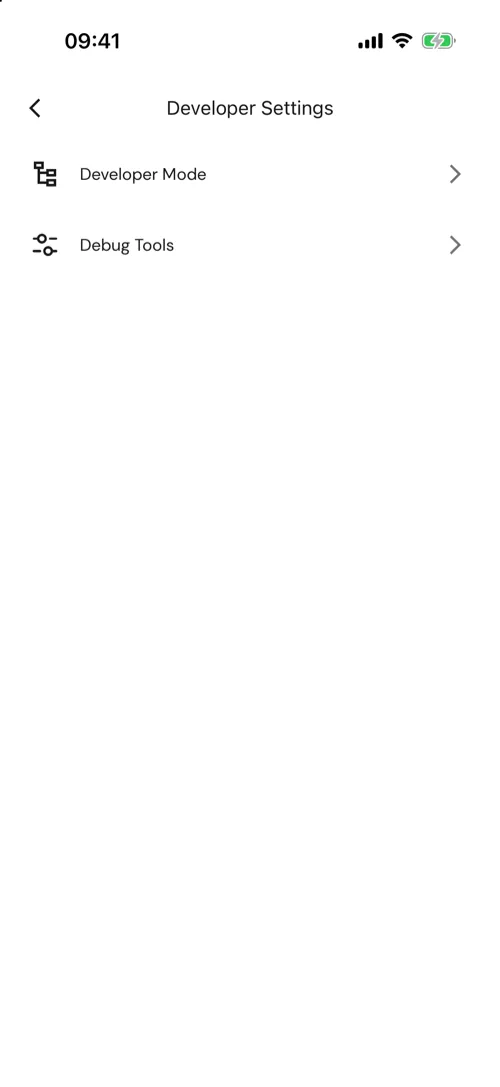
- Tap Developer Mode.
- Enable developer mode, then choose TestNet to connect Pera Wallet to TestNet.
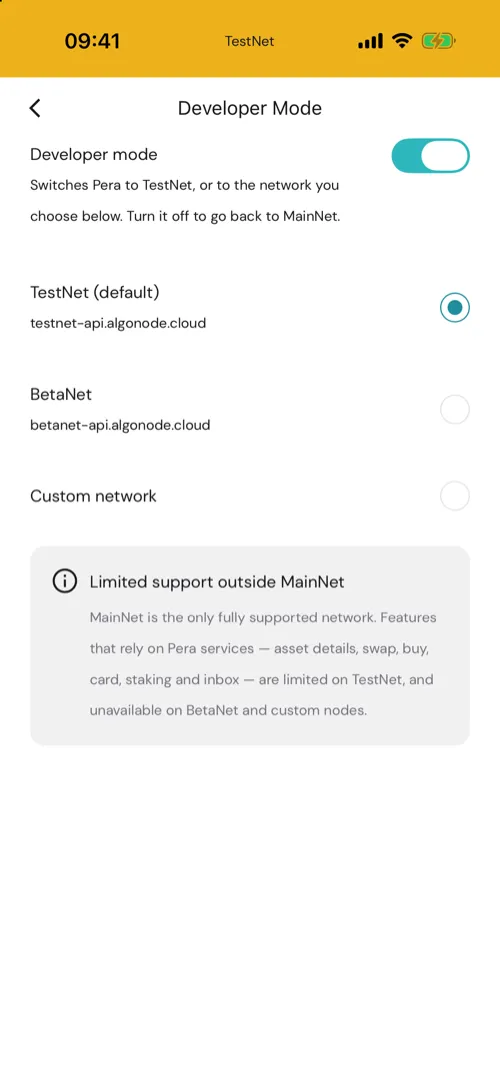
It’s as easy as that! Note that TestNet has limited support: features that rely on Pera services, such as asset details, swap, buy, card, staking and inbox, are limited on TestNet. Your phone is now connected to TestNet. You can obviously reverse the steps to switch back to MainNet whenever you’d like.
Funding your TestNet accounts
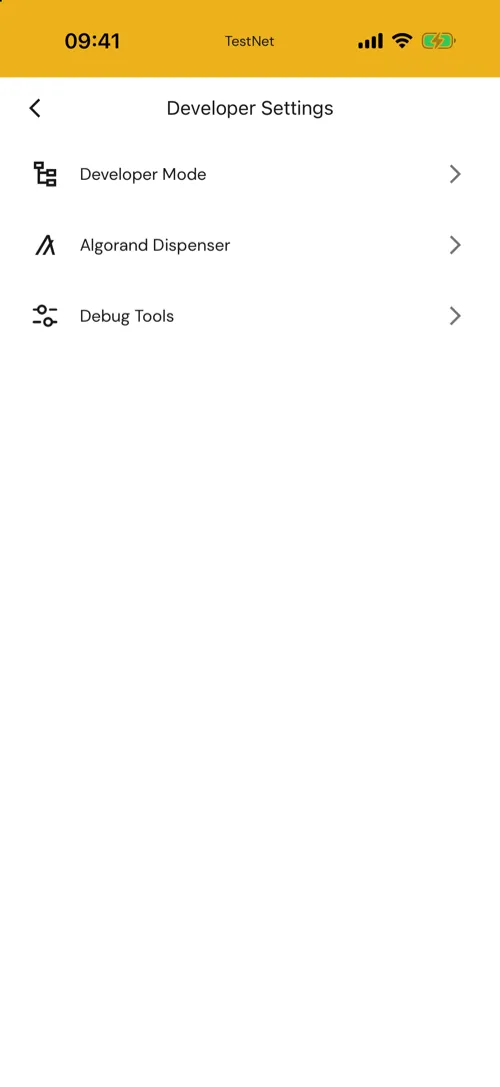
Now that you’ve connected to TestNet, you’ll need some (TestNet) Algos in order to send transactions. You can use the Algorand TestNet Dispenser, which sends out TestNet Algos in small amounts to any address.
Tap Algorand Dispenser. It will open a new browser window. Follow the steps in that window to fund your account! Note: Before heading to the Dispenser, it’s useful to copy the account address that you’d like to fund in Pera Wallet.


 Download Now
 Get Extension



