
Background Info:
Sending a transaction is fast and easy on the Algorand blockchain. Not only are transactions extremely fast, they’re also inexpensive; transactions only cost 1/1000th of an Algo (0.001). You can use transactions to send Algos or Algorand Standard Assets to other people, wallets, or exchanges. You can even send assets between accounts within your Pera Wallet.
Before you begin this tutorial, you must meet the following requirements:
- ✅ You must have an Algorand account already created in your Pera Wallet.
- ✅ Your account must have Algos, which are required to pay for the transaction fees.
- ✅ You need a recipient. Who are you sending your assets to? This could be in the form of an address, another account in your wallet, etc. We’ll dive into this more below.
Sending a Transaction
For this tutorial, we’re going to simply send a few Algos from one of my Pera Wallet accounts to another. However, creating and sending a transaction is the same regardless of where you’re sending it.
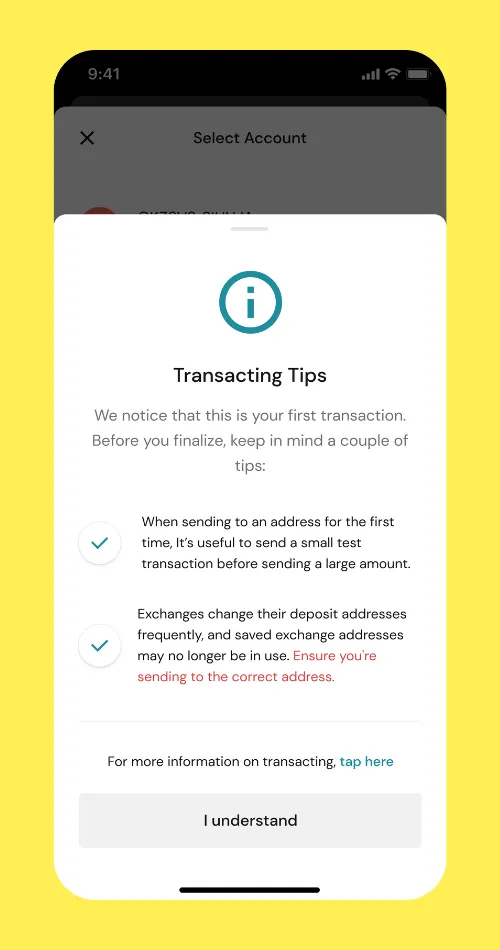
If it’s your first transaction, the Pera Wallet will display some tips. We invite you to please read them carefully.
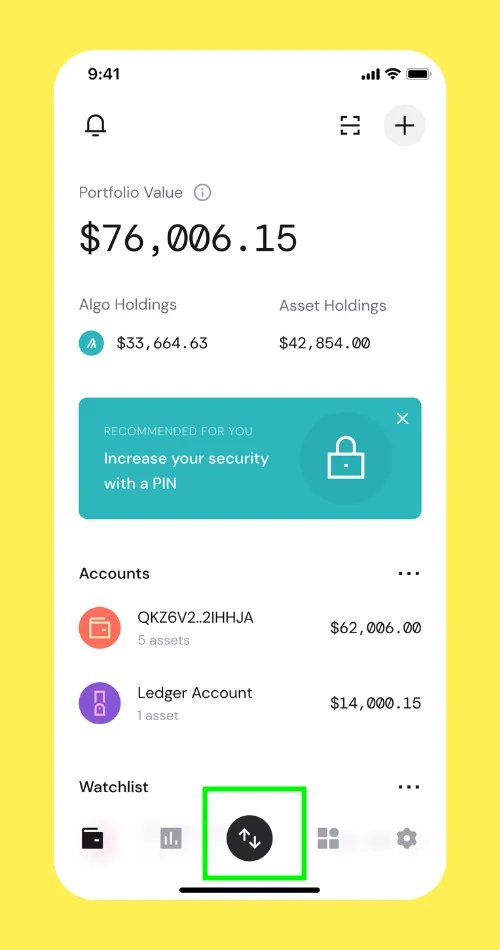
- Start by tapping the Send button on the home screen. (Highlighted in Green on the screenshot below)
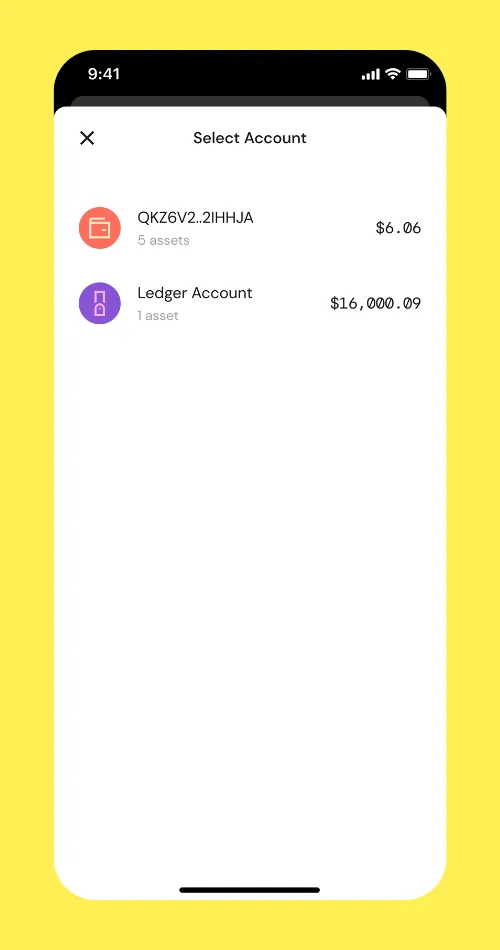
- Select the Account you would like to send from
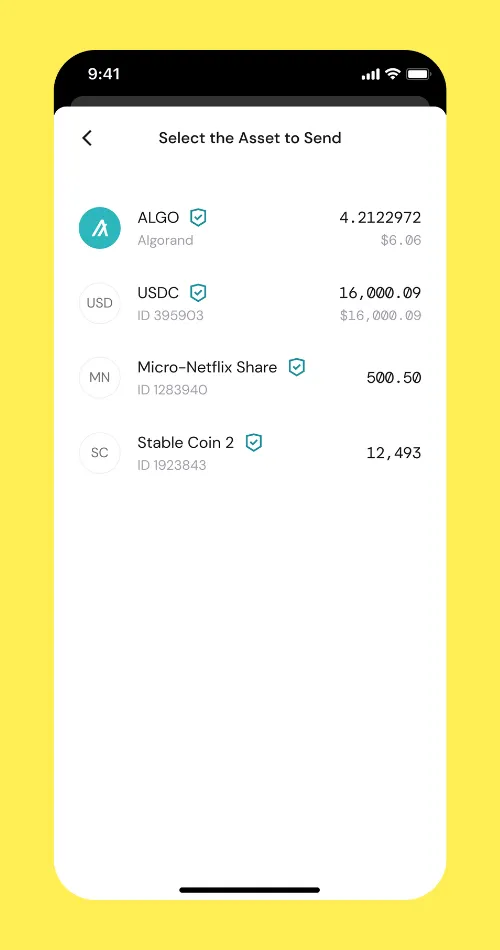
- Select an Asset. In our example we are going to select the Algo
- Enter the amount you would like to send. In our example we want to send 2 Algos. Then tap Next
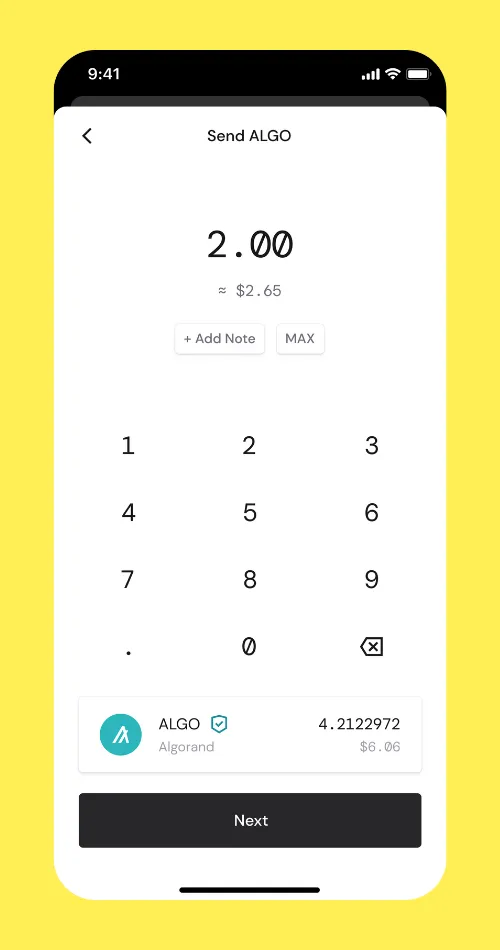
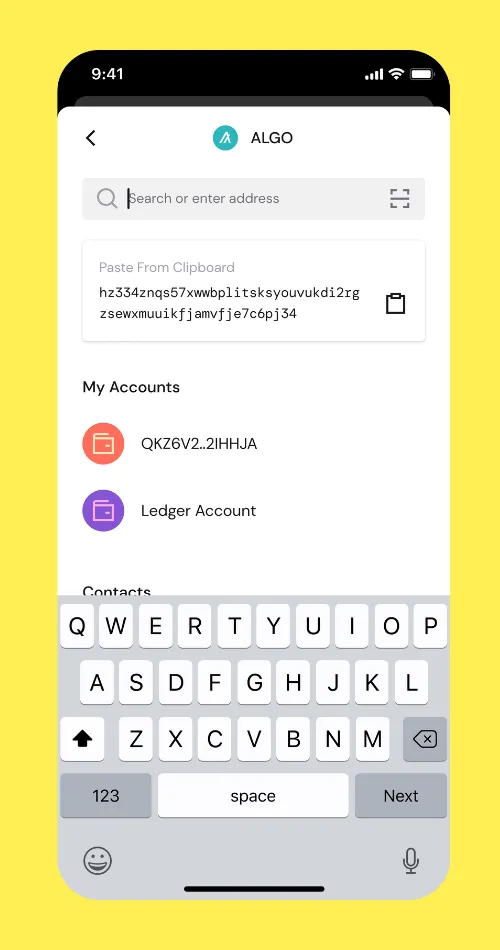
- From here, enter the Wallet Address you would like to send the asset to.
💡 All transactions in the blockchain are irreversible. It’s mandatory to make sure the wallet address entered at this step is the correct one.
To avoid any mistake, we advise you to always copy/paste a wallet address or Scan a QR Code.
Always send a small amount in order to verify that you are sending the asset to the correct Wallet Address. Once you will make sure the Asset is received by the wallet you want to send the asset to, then you can send a bigger amount.
- At this step, make sure to verify that the information is correct. If it’s correct, then tap Send Algo
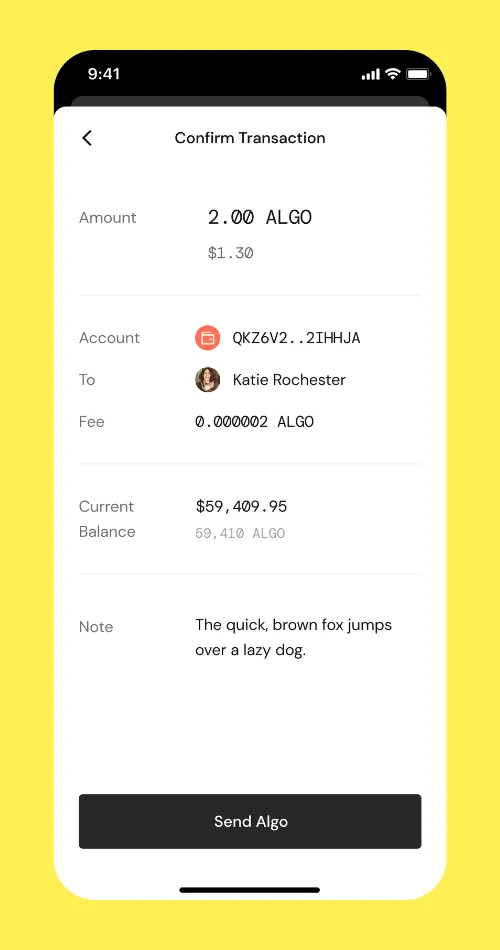
-
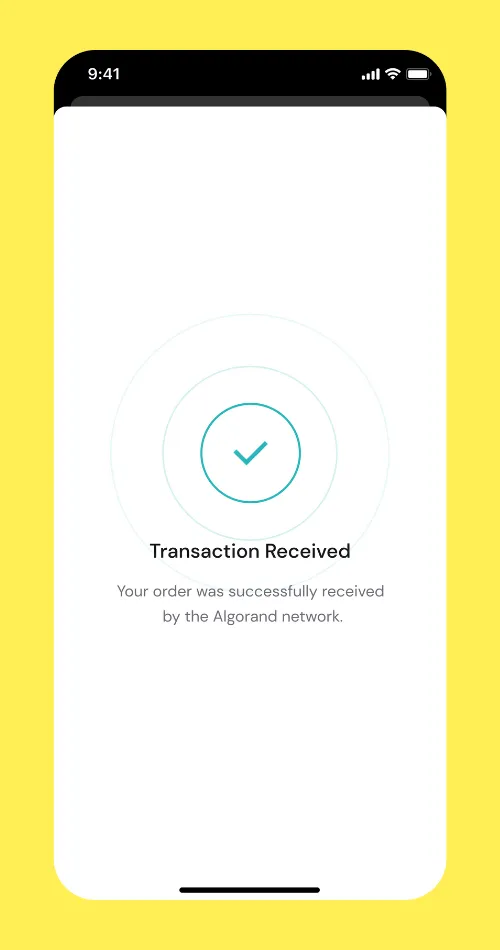
When this screen is displayed, it means the transaction is Submitted correctly to the Algorand Blockchain.
-
When this screen is displayed, it means the transaction is Confirmed by the Algorand Blockchain.
Additional Info:
When sending transactions to exchanges, please review the warnings in the Transacting with Exchanges tutorial first.
When sending transactions to new addresses or wallets that you’ve never transacted with before, we recommend sending a small test transaction first. Once you’ve verified that the address was successful, you can send the full amount with greater confidence.
Always use copy and paste (or QR scan) when entering an address. Never type it in manually, as this is extremely error prone and can cause loss of funds.


 Download Now
 Get Extension



