
How to back up your Recovery Passphrase
It is extremely important to securely back up your 24 or 25-word recovery passphrase for each Algorand account you create. Your passphrase is the main way to regain access to your account if you logout from the App, get a new phone or laptop, or lose access to your wallet in any way. Cloud Backup is an optional second route, but it is no substitute for keeping your passphrase safe.
Before you start, ensure you have a basic understanding of:
- How the blockchain works
- What an Algorand account is
Let’s say that you find yourself in one of the following situations:
- You drop your phone or laptop and it gets destroyed
- Your phone or computer is stolen or lost
- Your Pera Wallet app gets deleted from your phone
- Your browser cache gets wiped
- You change your preferred browser on your computer
- You forget your PIN or passcode for Pera Wallet
- You’ve memorized the recovery passphrase but one day you wake up and can’t remember it!
If you don’t have your 24 or 25-word recovery passphrase securely stored, and you have no Cloud Backup, you can lose access to your accounts and their funds. While these situations may seem unlikely, they happen frequently and could happen to you. The good news is, if you have your 24 or 25-word passphrase, you will be able to regain access to the associated account.
What is a Recovery Passphrase?
A recovery passphrase is a string of 24 or 25 words that gives you access to an Algorand account. Universal Wallets use 24 words; Algo25 and Quantum accounts use 25 words. The passphrase allows you to import the associated account to a wallet like Pera, from where the person importing it has full control of its funds and assets. This means, if someone gets access to your recovery passphrase they will have total control over your account. They can move your assets to their own account, make transactions from your account or rekey the whole account to another.
Never give someone your passphrase. If someone asks you for your passphrase, they are definitely a hacker or bad actor. No-one from Pera will ever ask you for your passphrase.
Backing up your recovery passphrase during account creation
When you create an Algorand Account with Pera Wallet, you’ll be prompted to create a backup of your 24 or 25-word recovery passphrase:
On Mobile:
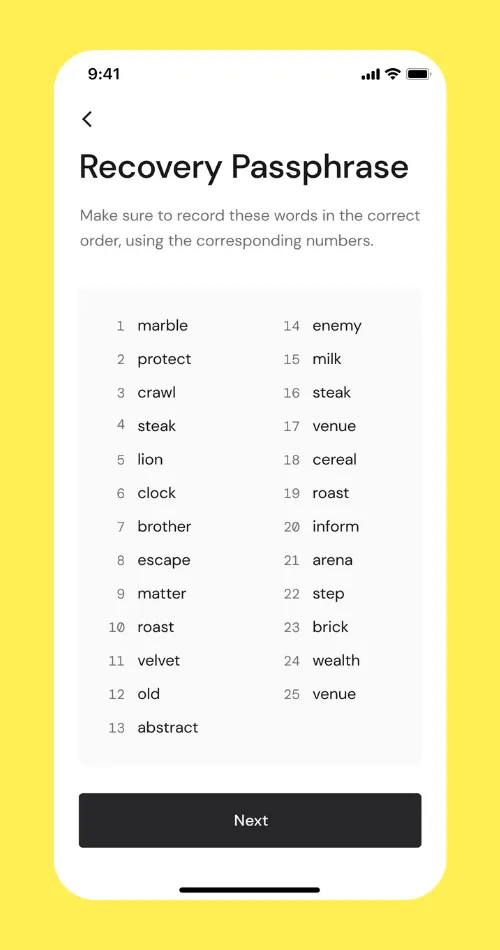
You should store the passphrase at this point. The recommended procedure is:
- Store the passphrase in a plaintext file, locally encrypt the file and store it in a password manager like 1Password
- If you ever need to restore the account, locally decrypt the file and enter the passphrase into Pera Wallet
Other less secure options for passphrase storage include:
- Writing the passphrase down on a piece of paper
- Saving the passphrase in a secure place (like a password manager) in plain text
The following methods are insecure and should not be used:
- Taking a screenshot of the passphrase that will be automatically uploaded to the Cloud (eg. iCloud)
- Storing the passphrase somewhere like Documents or as a screenshot in Photos
- Texting or emailing yourself the passphrase
What happens if I lose my recovery passphrase?
If you don’t securely store your recovery passphrase and you lose access to your accounts in your wallet (eg. you lose your phone or your device gets damaged), you can lose access to your accounts and their funds forever, unless you have a Cloud Backup. Pera Wallet is a non-custodial wallet, meaning that you (and only you) have control over your account and the assets in it.
Pera does not store your passphrase and has no way to assist you if you lose access to your accounts.
Only someone who holds the 24 or 25-word passphrase (or your Cloud Backup credentials) can restore the wallet account. However, with this power comes responsibility. If you lose your recovery passphrase that unlocks the account, no one can recover it for you.
What about Cloud Backup?
Cloud Backup keeps an encrypted copy of your accounts, contacts and preferences. You restore it with a 12-word Passphrase plus an Encryption Key, and Pera cannot read it. It is a convenience on top of self-custody, not a replacement: if you lose both Cloud Backup credentials and your recovery passphrase, nobody can recover your accounts. See Cloud Backups: Backing up and Restoring your Entire Wallet and Managing Cloud Backups.
How can I see the recovery passphrase of an account after creation?
If you have accounts in your Pera Wallet that are not backed up, you can view their passphrase and back them up at any time.
On Mobile:
-
From the Home Screen, tap the account name
-
From here, tap the “More” button with the down arrow:
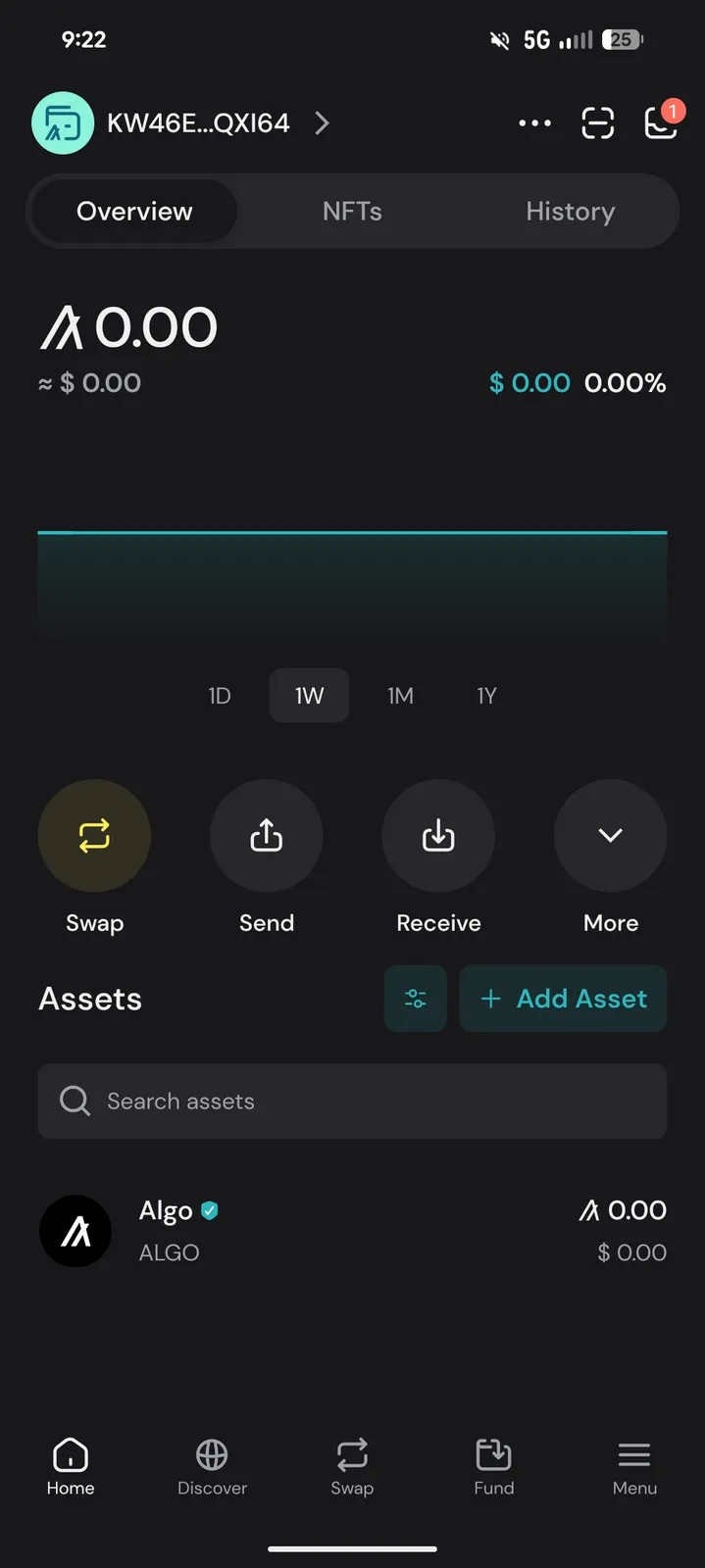
- From here, tap “View passphrase”. Ensure your screen is private and not exposed:
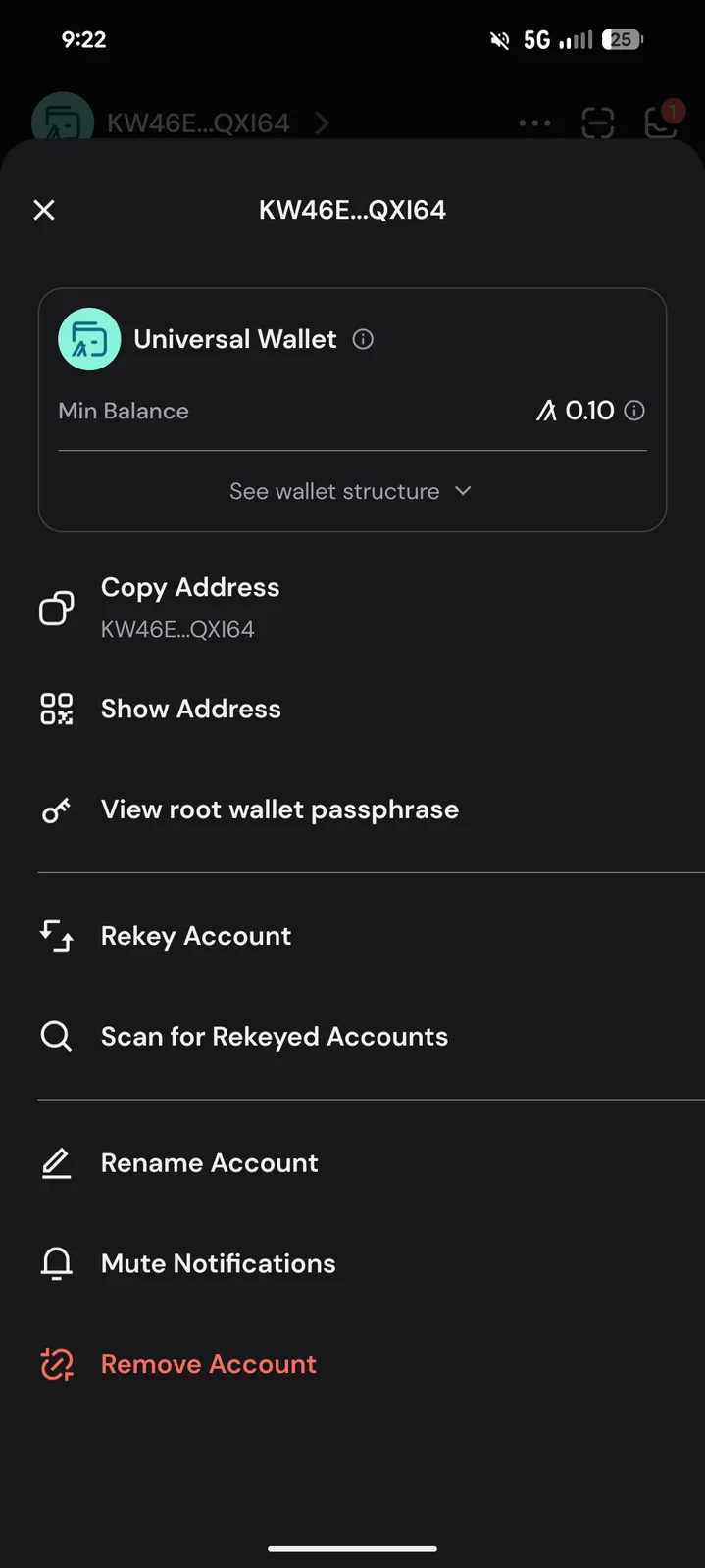
- View your passphrase and store it securely as listed above


 Download Now
 Get Extension



